External Installation - Method 2 (manual partitioning)
WARNING
Remember we'll format the external drive! Back up any existing data you care about.
This method involves manual partitioning. It's slower to do, but works flawlessly, therefore it's recommended if you have issues.
Get a Linux PC or VM (even a Live ISO works), or any program that can format drives in Linux's formats.
Then, plug in your drive, and use "GParted", "KDE Partition Manager", or "Aoemi Partition Assistant" on Windows to format your external drive like so:
- 50MB of FAT32 at the start of the drive with an empty label
- And a partition of the remaining space formatted as EXT4 labeled "psxitarch"
- BTRFS works too, but EXT4 is faster and recommended
Now move your bzImage (and bootargs if you need it) and initramfs to the FAT32 partition.
NOTE
If you're using Windows and can't get the partitioning right using 3rd-party tools, you can use wsl. For resources on how to do so, check out TheVorkMan's PS4 Linux notes
Then, you will need to untar your distro of choice at the root of the bigger EXT4 partition, using this command:
sudo tar -xvJpf ps4linux.tar.xz -C /run/media/YOURNAME/psxitarch --numeric-ownerNOTE
Replace YOURNAME and ps4linux.tar.xz accordingly. Also, you need to check that the drive is actually called psxitarch, it'll be different if you didn't set it.
Launching Linux Rescue Shell
After that, either launch your payload with a payload website to load them, or use GoldHEN's built-in payloader if the website doesn't work for you.
NOTE
You'll need to be using GoldHEN v2.4b18.10 or higher to use the built-in payloader. Some users have reported that the payloads only work correctly when using the "Payload Guest" app.
TIP
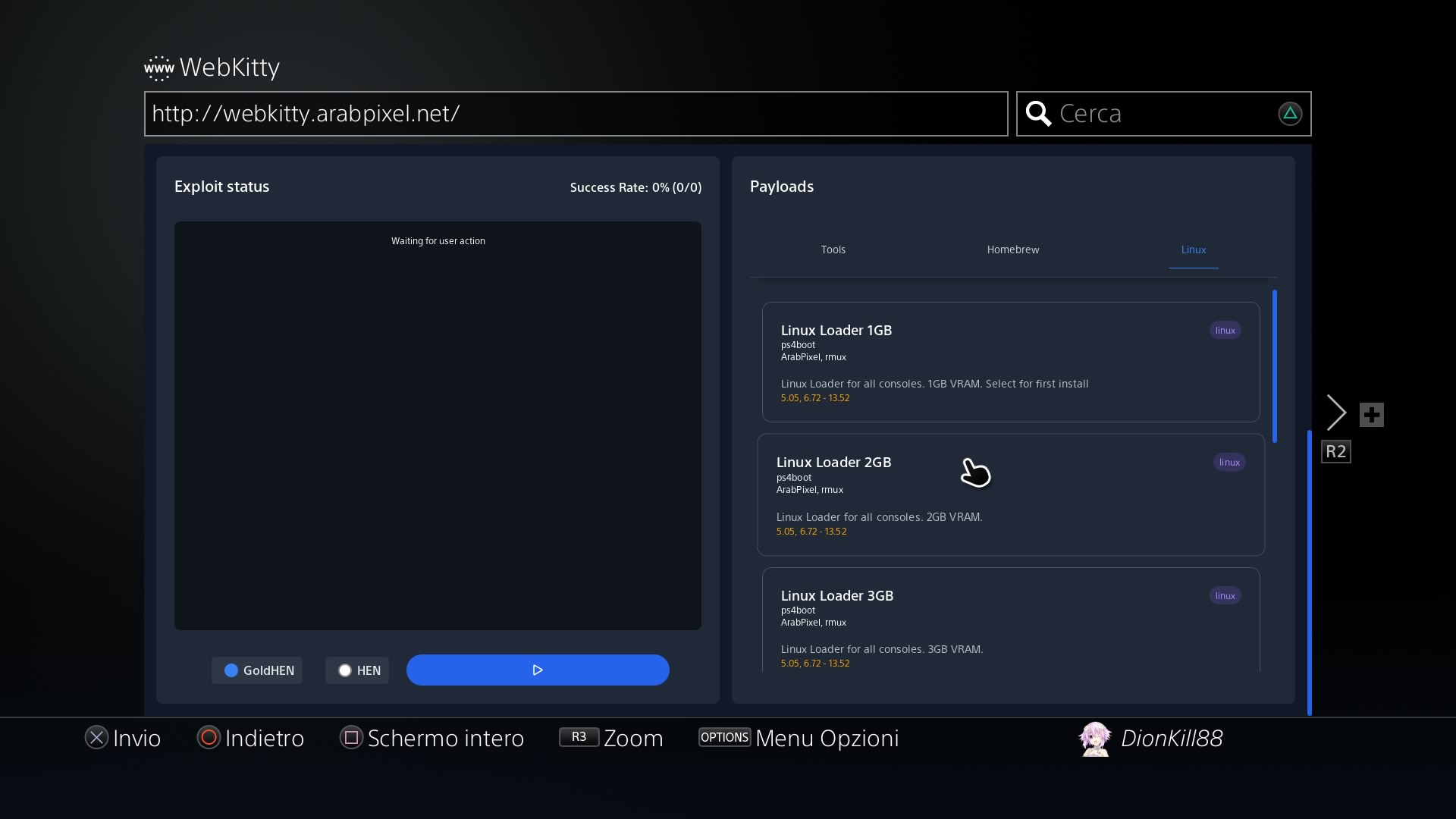
Remember that the amount of VRAM you allocate is taken from your system memory! For a 2GB of VRAM payload, you'd have 8-2 = 6GB of remaining system RAM! You aren't creating memory out of thin air!
For servers
Server payloads are available in 32MB, 64MB, and 128MB VRAM variants. Use 128MB by default for server or general headless use, as 32MB and 64MB can cause display issues on some setups.
Payload website hosts
Firmware 5.05 - 13.52
WARNING
You MUST select 1GB of VRAM or less for installation and first boot. Afterwards, 2GB is recommended.
Do not use GoldHEN version v2.4b18.8, update it!
Follow these steps:
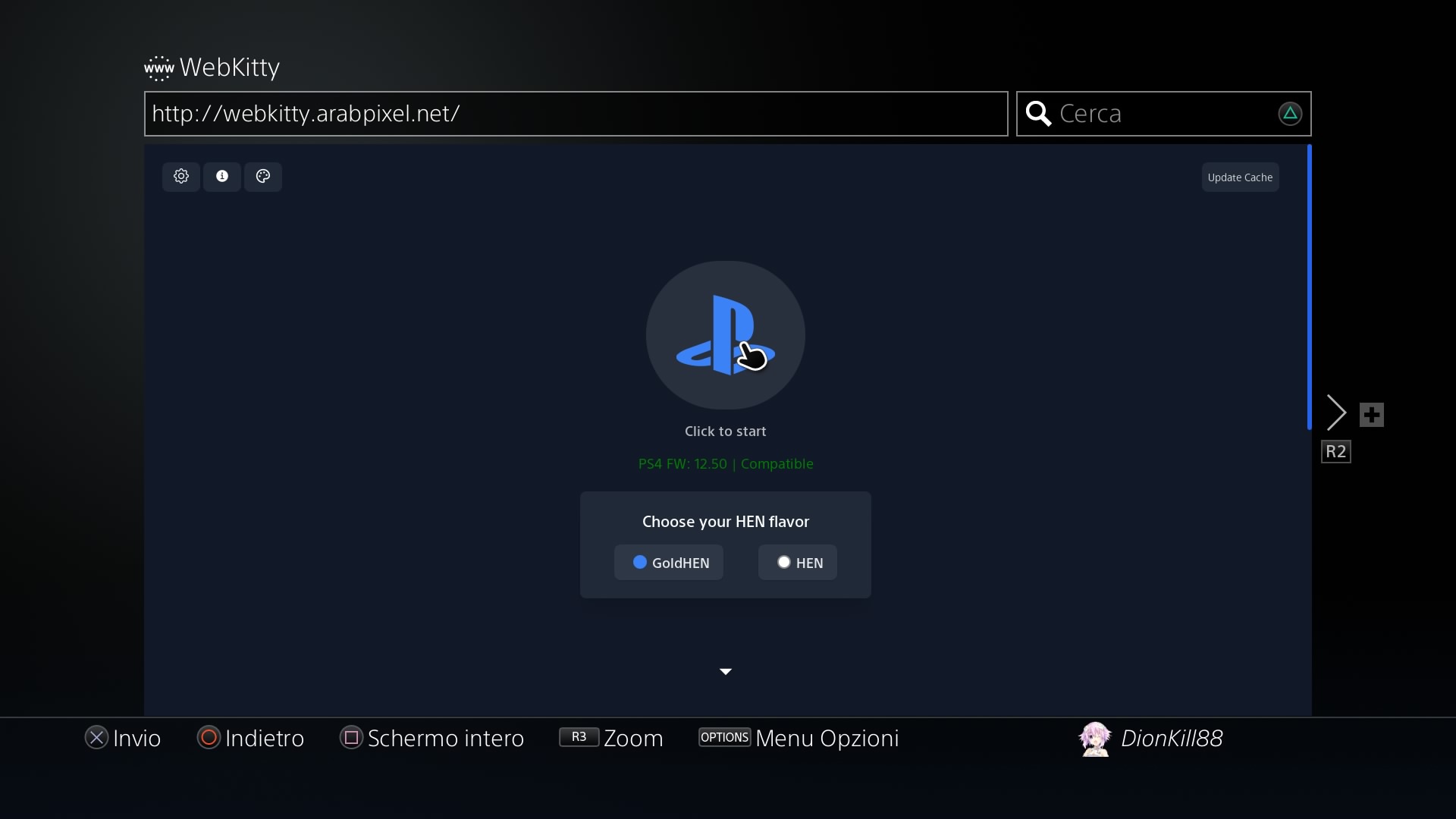
- Go to http://webkitty.arabpixel.net on your PS4's browser
- Scroll down with your right thumbstick, mouse, or keyboard
- Select Linux tab at the top right
- Wait for the cache to finish installing!
- Load your desired payload
- Again, 1GB or less is necessary for first time installation!
- If you use the PS4 as a server after installation, switch to one of the server payloads for more system RAM.
Local payloads (if website doesn't work for you)
If you so desire, or you can't launch it from the web browser for some reason, it's possible to load these payloads locally.
In order to do that, you need to download them here.
Local payloads setup (GoldHEN payloader)
- Extract from the ELF folders
- Using the
.elfseems to lead to a higher success rate when launching - Enable "see file extensions" on Windows Explorer or what you're using
- Using the
- Put the files in the
/data/payloads/directory, create it if it does not exist - Open the GoldHEN menu, then navigate to
Utilities>PayLoader>LaunchPadand select your desired payload - Remember to check here sometimes to see if there's any updates
Local payloads setup (Payload Guest)
- Install "Payload Guest" (or similar app) on your PS4
- Extract from the ELF folders, and rename the file to have a
.binextension instead of.elf, because Payload Guest can't load ELFs- Using the
.elfseems to lead to a higher success rate when launching - Enable "see file extensions" on Windows Explorer or what you're using
- Using the
- Put the files in the
/data/payloads/directory, create it if it does not exist - Open Payload Guest and select your desired payload (A controller is required, as Payload Guest does not accept keyboard input)
- Remember to check here sometimes to see if there's any updates
Booting up
Now that the storage is covered, here comes the moment of truth. It should already boot into the desktop. If it doesn't, and instead shows a Rescue Shell command prompt, type this until the distro starts:
resume-bootIf it doesn't work check this!
If for some reason it doesn't work for you, run the following commands (thanks @gryoza on Discord and @bene4k on Reddit for this):
mount /dev/sdb2 /newroot
exec chroot
You may need to do this at every reboot.
If the error you're getting is: mount: mounting /dev on /newroot/dev failed: No such file or directory Then the distro archive you used during the previous steps excluded some directories needed by the initramfs. It's easy to create the needed directories (and all the others excluded during the process of making the archive) with these commands:
mkdir /newroot/dev
mkdir /newroot/media
mkdir /newroot/mnt
mkdir /newroot/proc
mkdir /newroot/run
mkdir /newroot/sys
mkdir /newroot/tmp
mkdir /newroot/var/cache
mkdir /newroot/var/log
mkdir /newroot/var/tmp
Now that you've made the necessary directories, resume-boot should function as normal. You may also simply press ctrl+alt+del to reboot the console, then run the linux payload again.
WARNING
Don't run resume-boot more than twice, or it'll crash the system! Do CTRL+ALT+DELETE to reboot instead!
Finale
Go now, conquer the finale. Also, read the post-credit stuff.